
Saturday, December 4, 2010
Nintendo Ds's in a classroom?
I found this cool website that talks about the top tools for a classroom, all the tools are technology based. It explains how things like Nintendo DS’s are great hand held devices to have for students in a classroom. Why? Why? Why? Well there are several brain building programs/games available for a DS. DS’s can even connect so kids can race other people doing things like math equations. Which could be a fun, interactive game for students. Other pieces of technology the website describes and the benefits they hold are digital cameras, graphing calculators, webcams, ipod,s and even the computer games Sims. Click here to check it out!


Most Important Thing I Learned
I learned a lot this semester about teaching and learning with technology. I never thought in a million years I would learn how to make a website. I learned about cool pieces of technology that can help make lessons more interactive, meaningful, and engaging. For example, pieces of technology like, smart boards, Elmos, and iclickers. A smart board by far is my favorite piece of technology that I took a look at this semester. I have actually been able to teach several lessons using a smart board and each time I do, I love it. Not only do I love it, the students love it. One of the most important things that I learned this semester is how the use of technology in a classroom can encourage students to think at different levels. For example the use of technology in a classroom can encourage deep discussions about topics and allow students to build off of each others knowledge. This can be done by implementing the use of blogs, wikis, and even iclickers into a lesson plan. Technology is advancing and it is important that students are given the opportunity to explore the uses of it. Technology is not only cool it is beneficial.


Tuesday, November 30, 2010
Education World
I found this website that gives teachers ideas on how to integrate technology into their classroom and lessons. It provides links to current articles that talk about technology in the classroom as well.
Clicker here to check it out!
Future Classroom
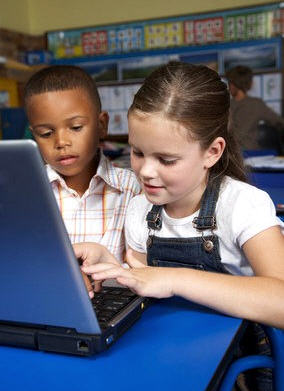
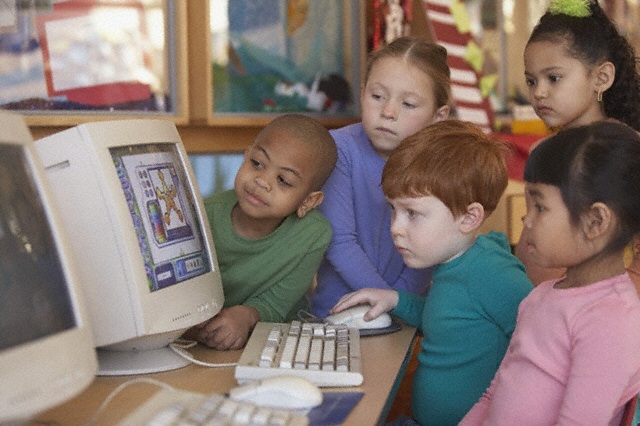
It worries me to think that one day when I have my own classroom there may not be up to date technology devices present in it for my use and for my students use. Depending on where I teach there may or not be computers available. I believe technology makes learning fun, interactive, and it can even help make learning more meaningful. I just hope one day I get to teach in a school where students are provided the chance to explore technology that is present in the world today. I can only hope my future classroom has a SMARTboard and a computer where I can display interactive websites, powerpoints, and movies. I am learning how the use of technology can make teaching easier and learning more fun. I am also seeing how important it is that students are given the opportunity to explore and use technology since technology is taking over! It hurts me to know that some kids have never even used a computer.

Wikis
Click here to check out my wiki!
I think a wiki can be a great resource to have available for students in my future classroom. It can encourage students to collaborate and edit assignments together online. It can also allow students to view important upcoming assignments, due dates, links that can be helpful for homework, videos that were viewed in class, and power point presentations viewed in class. Students can also add links to the wiki that they think go along with what we are learning at the time. A wiki is different from a website in many ways. For one all students can have equal access to it allowing them to create, collaborate and modify assignments. Unlike a website it allows multiple people to edit and save material even though they didn't create it. It is a webpage that anyone can edit. I believe parents can even have access to it as well. It can be a easy way to discuss what their child is being taught in the classroom. News letters can be posted on a classroom wiki, field trip volunteer sign up sheets, and even party volunteer sign up sheets. I think a class wiki encourages students to get involved in what is being learned inside the classroom in the comfort of their own home. It introduces the beauty of technology to students over the web. If students have a group assignment and they cant finish it in class then they can communicate about it and edit it online. After they are done collaborating and adding to it I can view it. I can grade it electronically. A wiki can be very resourceful and it integrates the use of technology inside the classroom.
I think a wiki can be a great resource to have available for students in my future classroom. It can encourage students to collaborate and edit assignments together online. It can also allow students to view important upcoming assignments, due dates, links that can be helpful for homework, videos that were viewed in class, and power point presentations viewed in class. Students can also add links to the wiki that they think go along with what we are learning at the time. A wiki is different from a website in many ways. For one all students can have equal access to it allowing them to create, collaborate and modify assignments. Unlike a website it allows multiple people to edit and save material even though they didn't create it. It is a webpage that anyone can edit. I believe parents can even have access to it as well. It can be a easy way to discuss what their child is being taught in the classroom. News letters can be posted on a classroom wiki, field trip volunteer sign up sheets, and even party volunteer sign up sheets. I think a class wiki encourages students to get involved in what is being learned inside the classroom in the comfort of their own home. It introduces the beauty of technology to students over the web. If students have a group assignment and they cant finish it in class then they can communicate about it and edit it online. After they are done collaborating and adding to it I can view it. I can grade it electronically. A wiki can be very resourceful and it integrates the use of technology inside the classroom.
Saturday, November 27, 2010
i-clicker
1. Easy to use
2. East to learn
3. Easy to trust
An i-clicker is an electronic multiple choice device that helps a teacher or professor receive instant feedback on what students are learning in their classroom. It is an audience response system that allows a teacher to pose a question to his/her students, then students answer the question by using the i-clicker itself, and then feedback is provided at once. The i-clicker itself a is hand-held device that is portable. It allows students to answer the questions by clicking on the appropriate button for his or her choice. After students click on the button for his or her choice a wireless signal from each clicker is sent to the reviver. The receiver is held by the teacher and once this happens the teacher is able to see each students response through the i-clicker software displayed on a computer screen. The software logs and stores the responses where the teacher can take this and display the results in multiple forms, graphs, charts, etc. I believe this a great piece of technology that can help students get involved in classroom lectures, especially in big lecture halls. It can help professors see who is coming to class and where their students stand with the material that is being presented to them. I have never personally used an i-clicker but I know many of my friends have. I would use an audio response system in my classroom. It is a great way to present material to students and see what they think and provide them with instant feedback. Simple quizzes, and homework questions can be presented to students through the system and then they can see where they stand with the material. It is a fun and efficient piece of technology that allows one to keep tab on students progress.

2. East to learn
3. Easy to trust
An i-clicker is an electronic multiple choice device that helps a teacher or professor receive instant feedback on what students are learning in their classroom. It is an audience response system that allows a teacher to pose a question to his/her students, then students answer the question by using the i-clicker itself, and then feedback is provided at once. The i-clicker itself a is hand-held device that is portable. It allows students to answer the questions by clicking on the appropriate button for his or her choice. After students click on the button for his or her choice a wireless signal from each clicker is sent to the reviver. The receiver is held by the teacher and once this happens the teacher is able to see each students response through the i-clicker software displayed on a computer screen. The software logs and stores the responses where the teacher can take this and display the results in multiple forms, graphs, charts, etc. I believe this a great piece of technology that can help students get involved in classroom lectures, especially in big lecture halls. It can help professors see who is coming to class and where their students stand with the material that is being presented to them. I have never personally used an i-clicker but I know many of my friends have. I would use an audio response system in my classroom. It is a great way to present material to students and see what they think and provide them with instant feedback. Simple quizzes, and homework questions can be presented to students through the system and then they can see where they stand with the material. It is a fun and efficient piece of technology that allows one to keep tab on students progress.

Tuesday, November 16, 2010
ISTE
The ISTE stands for International Society for Technology in Education. It is a membership association for educators that are interested in improving learning and teaching in PK-12 by the use of the advancing technology that is available today. It contains 20,000+ individual members, along with organizations and corporations. Being a member of ISTE allows one to connect with peers and share their teaching experiences. I believe this organization is great, and I believe all students should be given an equal opportunity when it comes to learning with technology. I know that's not the case but it is a vision and that's where something positive starts.
Click here to view more about ISTE!

Click here to view more about ISTE!

Subscribe to:
Posts (Atom)