
Saturday, December 4, 2010
Nintendo Ds's in a classroom?
I found this cool website that talks about the top tools for a classroom, all the tools are technology based. It explains how things like Nintendo DS’s are great hand held devices to have for students in a classroom. Why? Why? Why? Well there are several brain building programs/games available for a DS. DS’s can even connect so kids can race other people doing things like math equations. Which could be a fun, interactive game for students. Other pieces of technology the website describes and the benefits they hold are digital cameras, graphing calculators, webcams, ipod,s and even the computer games Sims. Click here to check it out!


Most Important Thing I Learned
I learned a lot this semester about teaching and learning with technology. I never thought in a million years I would learn how to make a website. I learned about cool pieces of technology that can help make lessons more interactive, meaningful, and engaging. For example, pieces of technology like, smart boards, Elmos, and iclickers. A smart board by far is my favorite piece of technology that I took a look at this semester. I have actually been able to teach several lessons using a smart board and each time I do, I love it. Not only do I love it, the students love it. One of the most important things that I learned this semester is how the use of technology in a classroom can encourage students to think at different levels. For example the use of technology in a classroom can encourage deep discussions about topics and allow students to build off of each others knowledge. This can be done by implementing the use of blogs, wikis, and even iclickers into a lesson plan. Technology is advancing and it is important that students are given the opportunity to explore the uses of it. Technology is not only cool it is beneficial.

Tuesday, November 30, 2010
Education World
I found this website that gives teachers ideas on how to integrate technology into their classroom and lessons. It provides links to current articles that talk about technology in the classroom as well.
Clicker here to check it out!
Future Classroom
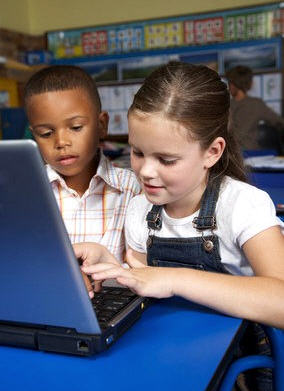
It worries me to think that one day when I have my own classroom there may not be up to date technology devices present in it for my use and for my students use. Depending on where I teach there may or not be computers available. I believe technology makes learning fun, interactive, and it can even help make learning more meaningful. I just hope one day I get to teach in a school where students are provided the chance to explore technology that is present in the world today. I can only hope my future classroom has a SMARTboard and a computer where I can display interactive websites, powerpoints, and movies. I am learning how the use of technology can make teaching easier and learning more fun. I am also seeing how important it is that students are given the opportunity to explore and use technology since technology is taking over! It hurts me to know that some kids have never even used a computer.

Wikis
Click here to check out my wiki!
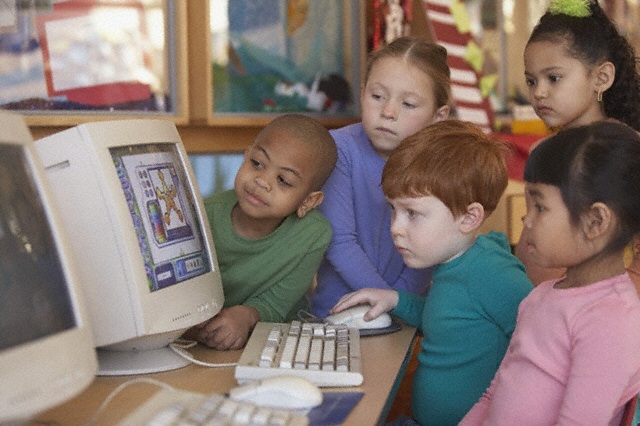
I think a wiki can be a great resource to have available for students in my future classroom. It can encourage students to collaborate and edit assignments together online. It can also allow students to view important upcoming assignments, due dates, links that can be helpful for homework, videos that were viewed in class, and power point presentations viewed in class. Students can also add links to the wiki that they think go along with what we are learning at the time. A wiki is different from a website in many ways. For one all students can have equal access to it allowing them to create, collaborate and modify assignments. Unlike a website it allows multiple people to edit and save material even though they didn't create it. It is a webpage that anyone can edit. I believe parents can even have access to it as well. It can be a easy way to discuss what their child is being taught in the classroom. News letters can be posted on a classroom wiki, field trip volunteer sign up sheets, and even party volunteer sign up sheets. I think a class wiki encourages students to get involved in what is being learned inside the classroom in the comfort of their own home. It introduces the beauty of technology to students over the web. If students have a group assignment and they cant finish it in class then they can communicate about it and edit it online. After they are done collaborating and adding to it I can view it. I can grade it electronically. A wiki can be very resourceful and it integrates the use of technology inside the classroom.
I think a wiki can be a great resource to have available for students in my future classroom. It can encourage students to collaborate and edit assignments together online. It can also allow students to view important upcoming assignments, due dates, links that can be helpful for homework, videos that were viewed in class, and power point presentations viewed in class. Students can also add links to the wiki that they think go along with what we are learning at the time. A wiki is different from a website in many ways. For one all students can have equal access to it allowing them to create, collaborate and modify assignments. Unlike a website it allows multiple people to edit and save material even though they didn't create it. It is a webpage that anyone can edit. I believe parents can even have access to it as well. It can be a easy way to discuss what their child is being taught in the classroom. News letters can be posted on a classroom wiki, field trip volunteer sign up sheets, and even party volunteer sign up sheets. I think a class wiki encourages students to get involved in what is being learned inside the classroom in the comfort of their own home. It introduces the beauty of technology to students over the web. If students have a group assignment and they cant finish it in class then they can communicate about it and edit it online. After they are done collaborating and adding to it I can view it. I can grade it electronically. A wiki can be very resourceful and it integrates the use of technology inside the classroom.
Saturday, November 27, 2010
i-clicker
1. Easy to use
2. East to learn
3. Easy to trust
An i-clicker is an electronic multiple choice device that helps a teacher or professor receive instant feedback on what students are learning in their classroom. It is an audience response system that allows a teacher to pose a question to his/her students, then students answer the question by using the i-clicker itself, and then feedback is provided at once. The i-clicker itself a is hand-held device that is portable. It allows students to answer the questions by clicking on the appropriate button for his or her choice. After students click on the button for his or her choice a wireless signal from each clicker is sent to the reviver. The receiver is held by the teacher and once this happens the teacher is able to see each students response through the i-clicker software displayed on a computer screen. The software logs and stores the responses where the teacher can take this and display the results in multiple forms, graphs, charts, etc. I believe this a great piece of technology that can help students get involved in classroom lectures, especially in big lecture halls. It can help professors see who is coming to class and where their students stand with the material that is being presented to them. I have never personally used an i-clicker but I know many of my friends have. I would use an audio response system in my classroom. It is a great way to present material to students and see what they think and provide them with instant feedback. Simple quizzes, and homework questions can be presented to students through the system and then they can see where they stand with the material. It is a fun and efficient piece of technology that allows one to keep tab on students progress.

2. East to learn
3. Easy to trust
An i-clicker is an electronic multiple choice device that helps a teacher or professor receive instant feedback on what students are learning in their classroom. It is an audience response system that allows a teacher to pose a question to his/her students, then students answer the question by using the i-clicker itself, and then feedback is provided at once. The i-clicker itself a is hand-held device that is portable. It allows students to answer the questions by clicking on the appropriate button for his or her choice. After students click on the button for his or her choice a wireless signal from each clicker is sent to the reviver. The receiver is held by the teacher and once this happens the teacher is able to see each students response through the i-clicker software displayed on a computer screen. The software logs and stores the responses where the teacher can take this and display the results in multiple forms, graphs, charts, etc. I believe this a great piece of technology that can help students get involved in classroom lectures, especially in big lecture halls. It can help professors see who is coming to class and where their students stand with the material that is being presented to them. I have never personally used an i-clicker but I know many of my friends have. I would use an audio response system in my classroom. It is a great way to present material to students and see what they think and provide them with instant feedback. Simple quizzes, and homework questions can be presented to students through the system and then they can see where they stand with the material. It is a fun and efficient piece of technology that allows one to keep tab on students progress.

Tuesday, November 16, 2010
ISTE
The ISTE stands for International Society for Technology in Education. It is a membership association for educators that are interested in improving learning and teaching in PK-12 by the use of the advancing technology that is available today. It contains 20,000+ individual members, along with organizations and corporations. Being a member of ISTE allows one to connect with peers and share their teaching experiences. I believe this organization is great, and I believe all students should be given an equal opportunity when it comes to learning with technology. I know that's not the case but it is a vision and that's where something positive starts.
Click here to view more about ISTE!

Click here to view more about ISTE!

Podcasts
A podcast is a sequence of digital media files. They can either be audio (mp3) or video that can be downloaded through the web. It can be played through a computer or a portable media device, like an ipod. Podcasts are becoming more present in the education world. I had a professor that used podcasts frequently. He would upload his lectures (him speaking) online and then I would download it onto my computer. I would listen to him in the comfort of my home. It was very convenient because while listening to him talk I would be able to do other things like my laundry. Listening to the podcasts allowed me to multitask while learning. If I wanted to I could have downloaded the lecture (podcast) onto my ipod and listened to it while working out or walking to another class. A podcast can be a portable lecture. Podcasts are becoming more prominent because they give students more freedom and allow professors to do more meaningful activities inside of the classroom. Podcasts can cut down the time teachers spend on lecturing. As Apple would say, “Extend your classroom- and your curriculum- with podcasts. From lectures and slideshows to gallery tours and interview, podcasting engages students in ways the printed page can’t.” Podcasts are probably not a good way to present information to younger level students. They are probably better for upper grade students, like high school and college level. Something that needs to be considered before placing your lectures on the internet is whether or not your students will have access to the internet outside of school? Soon we are no longer going to have to sit inside a classroom to become taught and educated.
Cick here to view the Apple link about Podcasts!

Cick here to view the Apple link about Podcasts!

Saturday, November 13, 2010
Google Docs
I was introduced to google docs during my TE 348 class in the summertime. I created a couple presentations on it with some of my classmates. It was great because we never had to meet outside of classroom to create our presentations. All we had to do was log into google docs and edit away. I think google docs could be a very useful application inside my future classroom. It is a great application to allow students to work together and contribute an equal amount of effort on. I would have students create group presentations on google docs so they could all have access to what is being worked on at their own individual computers. This way they do not need to swarm around one computer to get their work done. I would also encourage my students to type their papers in google docs so they can easily access their work at home and at school without having to worry about saving and emailing. It is great for students to use because it is accessible 24/7. They can make something at home and then work on it at school by simply logging in!
First Lesson Ever :)
I taught my first lesson ever on Thursday. It was a 5th grade science lesson on "the reason for seasons." It was a success! I tried to incorporate as much technology as possible. My lesson contained two interactive websites that I displayed on the SMART board. I had students come up to the board and move objects and answer questions that were shown. They loved it. Students were engaged during my lesson and were able to all participate by coming up to the board and interacting with what was displayed. I am excited to become a teacher and be able to incorporate technology use in my classroom.
MacBook :)
I just got a MacBook yesterday. My computer crashed Tuesday morning :( It was an hp that I had for about 4 1/2 years. It was working just fine so its death was very unexpected. I am so happy with my new purchase though. I believe this computer is going to very beneficial through my professional development year. I am excited to be apart of the Mac World and explore all the cool things it can do!
Wednesday, November 3, 2010
ELMO
The piece of technology that I explored is the ELMO. Goodbye overhead projector HELLO new digital visual presenter. An ELMO is a document camera and a projector. I believe the ELMO is replacing the overhead projector.
 Features:

- True color reproduction of image
- Flexible camera
- Base and arm lights
- Images being shown do not have to be transparent
- Connects to the computer
I believe this piece of technology is great and I would definitely use an ELMO in my own classroom. Many of my college classrooms right now contain an ELMO projector and my professors put it to good use during class time. I even have personally displayed my work on an ELMO for a presentation I had to do. One of my professors reads children picture books to us off of the ELMO. It allows her to display the images present on each page of the book without having to walk around the room for us to see the pictures. There are many advantages to using an ELMO. It can make displaying class assignments much easier. Worksheets can be displayed and done on the ELMO projector as well. This specific piece of technology can be used for all subjects and grades. I was surfing the web about it and I found this great site that contains why teachers love their ELMO’s. Click here to check it out! It gives cool ideas on how it can be used in your own classroom.
What about...
Since my online class, Teaching and Learning with Technology started, I got to thinking what about the kids that go to school and do not have access to all the great technologies I have been exploring? A majority of American kids have access to a computer in their home but what about the American kids that don’t? Technology is great but it is not affordable for all. It can be a very useful learning tool and it is sad to me to think that some kids will never be given the opportunity to explore its greatness. Some kids may never see a SMART board or an ELMO. Some schools require students to have their own personal laptop where other schools don’t even have up to date computers available for their students to use. I just hope one day I will be able to teach in a school where up to date technology will be available for my students.
Banning Laptops in Class
“Tell us what you think: Should students be busted down for booting up in class? Should professors be responsible for making lectures and classes interesting enough to hold students’ attention? Do students have a responsibility to pay attention?” (Banning Laptops in Class, Kathy McManus)
The Blog: Banning Laptops in Class

Although this specific article was published in 2008 I believe laptops are still an issue in college classrooms. Some professors prefer their students not to bring them to class. They make it very clear that laptops are not to be opened while they are teaching. I have had professors that have said, “NO LAPTOPS.” I personally do not believe that students should be “busted down” for booting up their laptops in class. At the collegiate level it should be a student’s decision whether they want to pay attention or surf the web during a lecture. College students are paying to be in class and if they want to google around then so be it. They are only hurting themselves by not paying attention and staying engaged. I believe it is a professor’s responsibility to make lectures and classes interesting enough to hold students’ attention. That’s what students are paying for right? A professor’s job is to teach and hopefully present the required material in an interesting enough way. As a college student I would much rather surf the web in some of my classes then listen to my professor talk. Laptops are a great piece of technology that are very personal to people. For some people, laptops hold everything for them, important documents, files, music, pictures, etc. A laptop is a great piece of technology that can be useful in many classrooms. I believe it is a piece of technology that can make learning very personal. I think that teachers should encourage their students to bring their laptops to class so they can open up the lecture being presented onto their own personal screen. This way the lecture is right in front of students and students can be taking notes on the actual lecture slides. It is a lot easier to type then it is to write.
The Blog: Banning Laptops in Class

Thursday, October 28, 2010
PLN
I believe that building a personal learning network so far is very overwhelming. It is very hard for me to keep up with everything that I have created accounts with so far. I struggle with using technology, and I don’t fully understand the use of having such a diverse PLN. I don’t enjoy tweeting my thoughts, but I can see how Twitter can be useful. I enjoy creating blog posts though. I also am very proud of my website that I have created. I believe that my website has potential for when I get into the working world and have my own classroom. I think I can potentially turn my website into a classroom website. It can still contain my about me and my experiences with teaching. I would just add tabs where I can post parent news letter, important test dates, and homework assignments. I think I can maintain my website and continue to add to it and reference to it throughout my career.
Thursday, October 21, 2010
What I have noticed so far...
Since I started my placement for my TE 401 class I have noticed the use of technology to teach lessons more and more. My CT begins each of her science lessons with an interactive website that she displays on the SMART board. The children love it because they can go up to the board and do whatever activity is being displayed at the time. I also noticed that the class goes to the computer lab a lot to type assignments or interact on websites talked about in class. Take home assignments also involve interacting with technology as well. A lot of times my CT's assignments require her students to visit a website to complete the homework task. I guess text books are no longer needed!
Thursday, October 14, 2010
RockYou
I tired to use the site RockYou to create my digital story prior to using Slide. RockYou was very easy to use and I created a great digital story in seconds. I was really happy with what I created until the story disappeared. I saved my slideshow and then I couldn't find it. After this happened I tried to recreate it five more times. Each time I would save it, I couldn't find it. This was very frustrating and I would not recommend RockYou. I believe the site is flawed. I even created an account and couldn't find any of the slideshows I made.
Integrated Technology Lesson Plan
For my first formal lesson plan I think I would like to use "Slide" which I used to create my digital story. Slide is easy to use and I think it is a useful way to display images and text on any subject. I would like to do a lesson for first graders on Nouns. After this lesson and viewing the slideshow students will be able to identify what nouns are. Slide goes well with the content I would like to teach because it will allow me to give students a visual of a person, place, or thing, which is a noun. Some students are unfamiliar with what a noun is and how nouns are important words that can help them make sentences.
Digital Storytelling
I decided to make a digital story about Brazil. My parents moved to Sao Paulo, Brazil several years ago and I have been there often to visit. In my digital story I incorporated pictures of the different places I have been. I included several pictures of Rio de Janeiro and of the beach. Juquehy Praia Beach is my favorite place to go to when I'm in Brazil. My slide show ends with a picture that I took of Sao Paulo, Brazil at nighttime. It is a cool place to visit and there is so much to see! Here is the digital story I created: http://www.slide.com/r/Ncu_yart6T_-23Lq_9aR1xh4rvSJw4QN
Digital storytelling can be a very useful teaching tool. For example, as stated in the reading, "it can help engage students in a project by having them all tell a story of their own." This sort of project can help make learning personal which is important. Digital stories and slideshows help give students a visual of what is being taught to them. It can be a great tool to display images for any subject. It can show images on how to do a math problem step by step or a science experiment. It is a creative way to display any lesson. I used Slide to create my digital story. It was very easy to use and upload my own photos. It allowed me to customize my slidshow by having a variety of styles, themes, and backgrounds to choose from.
Digital storytelling can be a very useful teaching tool. For example, as stated in the reading, "it can help engage students in a project by having them all tell a story of their own." This sort of project can help make learning personal which is important. Digital stories and slideshows help give students a visual of what is being taught to them. It can be a great tool to display images for any subject. It can show images on how to do a math problem step by step or a science experiment. It is a creative way to display any lesson. I used Slide to create my digital story. It was very easy to use and upload my own photos. It allowed me to customize my slidshow by having a variety of styles, themes, and backgrounds to choose from.
Thursday, October 7, 2010
SMART Board
About three weeks ago I saw my first SMART board in a 5th grade classroom and I was fascinated by it. No more chalk no more dry-erase markers. SMART boards have been around for a while now but I have just now been seeing them more and more inside schools. I don’t know where I have been. I guess it’s not the latest technology but it sure is cool. A SMART board is an electronic white board that has so many pros. I was reading in an article and it stated, “If you can use a computer you can use a SMART board.” When looking at a SMART board one would think it is a dry erase board but actually it is a touch sensitive screen that connects to a computer and projector. It contains digital pens that are black, blue, red and green. These pens do not contain ink! They are programmed to make the board functional. A SMART board is interactive and great for demonstrations. It is colorful and allows students to visually see what is being taught to them. A SMART board contains a program called Notebook which is used by most teachers. This program lets teachers type with their keyboard and write with their digital pens on the board. I would for sure use this piece of technology in my classroom. I believe it is a great way to display images, notes, and worksheets. For example, as a class we could work on a math worksheet together. I could open the document that contains the worksheet on my computer then display it on the SMART board. I could then have my students use digital pens to solve the problems step by step. I believe a SMART board would be a beneficial addition to any classroom. It allows educators to incorporate different learning strategies. It a useful way to visually display what is being taught and it is interactive. A SMART board has multiple purposes. Instead of rolling in a television on a cart to show a movie you can just show it on the SMART board. Instead of writing directions on a chalkboard you can clearly display them typed on the SMART board. It is another piece of technology that makes learning and teaching fun. It is a great tool for teachers.


Picnik
One topic I read about last week was web based image editing applications. I took a look at Picnik and Adobe photo-shop express. I love Picnik! I think it is a great application to edit photos, and it is very easy to use. Once the photo of choice is uploaded on the app there are so many things that can be done to it with just the click of a mouse pad. The colors of a photo can be enhanced, changed to black and white, or even sepia. Not only that cool effects can be added to a photo to give it a completely different look. Such as, making a picture look like a pencil sketch, movie screen, poster, or even set back in the 60's. It's a great application and I love editing my photos now. It makes them look so much better, and it is fun!
Friday, October 1, 2010
Thursday, September 30, 2010
Copyright
I was never taught the importance of copyright in school. After reading about it I understand the importance. It is very easy to steal work that is not yours especially on the web. I am not saying I do it, but copying and pasting images into a word document for a paper or project is a very easy thing to do. Sometimes you forget to cite where you got it from. I believe the EFF Teaching Copyright Curriculum is great thing for teachers to have their students do, or be aware of. I just feel placing images on the web is opening the door for people to see your work and take it. I can just remember back in elementary school when I had to sign permission slips to use the internet and now it is just so freely used by everyone. Maybe people should think twice on what they post online.


Images in Curriculum
I believe when teaching visual aids/photos are very important to have to go along with what is being said. When giving a power point presentation I believe it is important to have images to show what is being taught. Images are a very important part to any curriculum. For example, when teaching/learning the parts of a plant/flower, or the human body it would be nice to have an image that could be labeled so the important parts could be properly explained. Images not only are a useful resource when teaching they are a necessity. All students learn differently. Some learn just by having things explained to them, others need to visually see what is being taught to them.
Wow!
I can not believe the technology that is now available for school classrooms. It has advanced so much over the past years, it is incredible. What happened to overhead projectors and T.V's on carts? I know this may not be the latest, but Smarboards are the coolest things ever! Last week I visited the classroom I will be observing for the year and I could not believe the technology available in the room for elementary school students. There was not one chalkboard in the classroom. There was a dry erase board and a Smartboard. Someone told me that Smartboards have been around for a while but that was the first time I have ever seen one. Not only can a teacher display his/her computer screen on it, but movies can be shown on it, writing can be done on it and then saved to be printed off as a handout.
Friday, September 24, 2010
Last week I was introduced to Twitter. I remember when it first became popular. I never really thought much of it or even wanted to join, Facebook was good for me. Only a few of my friends had Twitter accounts at the time and they just followed celebrities. To me, I didn't really care about celebrities so I didn't see the point of joining. I now have a Twitter account and learned a little more about it last week. I am still confused with how Twitter works and I do not fully understand how to follow people but, I did learn what it has to offer. I learned that through Twitter people can have discussions to share useful information and resources. Along with that, people can post questions, contact and build relationships with professional peers around the country/world, and even follow experts in their field of work. Twitter can be a useful resource. It can help you keep in contact with people and build your knowledge in your professional field. I am still trying to figure out how it all works but I do see its potential.
Saturday, September 18, 2010
RSS
Last week during class I was introduced to RSS- Really Simple Syndication. I really never understood RSS until I read about it last week and explored. I had heard the term used in previous classes by teachers but it never made sense to me. I didn't know what they were talking about. I learned that RSS allows people to subscribe to online information by using a reader which will automatically check/download the new content on the subscribed web pages. RSS can help one organize all the information available to them on the web by simply clicking a button. It eliminates having to go through all the individual websites to get to the one that actually interests you. I became part of google reader last week where I subscribed to follow two websites so far. It's great because it has automatically downloaded the new content available on each site. It keeps me updated!
Hello World!
My name is Amanda Perelli, and I am a senior at Michigan State University majoring in Elementary Education. This is my first time making a blog and it is for my online class called CEP 416 Teaching and Learning with Technology. I am not very technology savvy. I do not have much experience with the latest technological advances on the web. I have blogged before for one of my previous education classes on a class blog where I would post discussion comments. I enjoyed doing it. I liked reading about my peers perspectives on the issues we discussed in class and voicing my own opinion. I am looking forward to this class and learning about all the latest educational technologies available. Along with that, I am looking forward to just becoming more comfortable with the web and technology in general. This class has only been going for two weeks and I have already learned how to make a website, twitter, and blog!
Subscribe to:
Posts (Atom)